If your Annapurna Bhandar application has been approved but ₹3,000 has still not arrived in your bank account, you are not alone. Thousands of women across West Bengal are facing this exact problem right now. And in most cases, the reason is not a rejection or an error in the application. The real issue is one missing technical step — the bank account is not properly linked to Aadhaar through the NPCI DBT mapper.
This article walks you through everything you need to know about the Annapurna Bhandar DBT link process — what it means, why your payment might be stuck, and exactly how to fix it step by step, both online and at your bank.
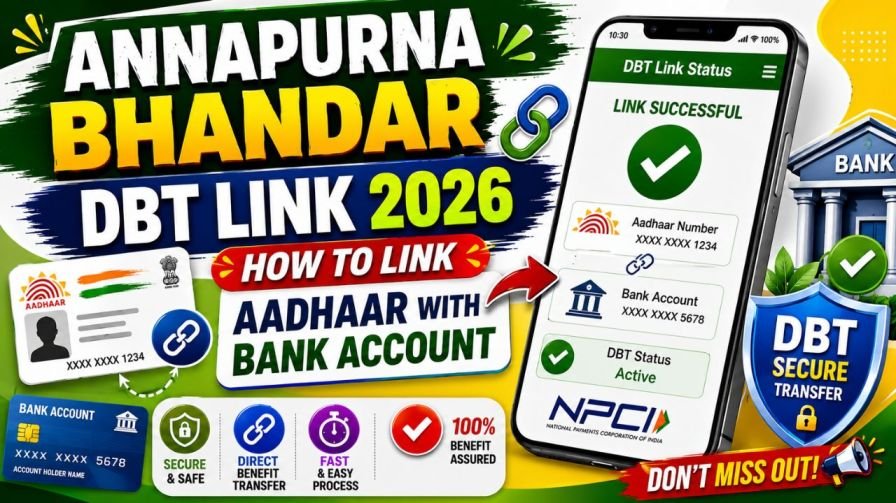
What Is the Difference Between Aadhaar Seeding and DBT Activation?
This is a very important point that often causes confusion.
Aadhaar seeding simply means that your Aadhaar number has been connected to your bank account inside the bank’s internal records. DBT activation means that this connection has been shared with and registered on the National Payments Corporation of India (NPCI) mapper — which is the central system that the government uses to route Direct Benefit Transfer payments.
In most cases, when a bank seeds your Aadhaar, they also register the linkage with NPCI automatically. But this does not always happen correctly. Some older accounts, dormant accounts, or recently changed accounts may show Aadhaar seeding as complete at the bank level while the NPCI mapper has not been updated. In that situation, your Annapurna Bhandar payment will fail even though your bank shows the account as Aadhaar-linked.
Always verify your DBT status independently rather than assuming the payment will come through.
Step 1: Check If Your Bank Account Is Already DBT-Linked
The first thing to do before making any changes is to confirm what your current status actually is. Many women have already completed the Aadhaar seeding without realising it, and a quick check will confirm whether your account is ready to receive government payments.
Method 1 — Using the myAadhaar Portal
Open your browser on your phone or computer and visit the official UIDAI portal at myaadhaar.uidai.gov.in. Log in with your 12-digit Aadhaar number and complete the OTP verification using the code sent to your registered mobile number. After logging in, look for the Aadhaar-Bank Seeding Status section. The portal will show you which bank account is currently active for receiving DBT payments, along with the name of the bank.
Method 2 — Using the NPCI BASE Tool
Visit the official NPCI website at npci.org.in. Click on the “Consumer” or “Customer” tab in the navigation bar and select the “Bharat Aadhaar Seeding Enabler (BASE)” option from the dropdown. Choose “Aadhaar Mapped Status,” enter your 12-digit Aadhaar number along with the captcha code, and verify with an OTP. The result will show which bank holds your active DBT mapping and whether it is currently enabled.
If the check shows your account is already correctly linked and active, your payment may simply be in the next 7-day update cycle. If it shows no mapping or an old account, proceed to the steps below.
Step 2: Link Your Aadhaar with Your Bank Account for the First Time
If your Aadhaar is not linked to any bank account yet, you need to complete the Aadhaar seeding process. This can be done either online from home or by visiting your bank branch in person.
Online Method — Using Your Bank’s App or Internet Banking
This is the fastest and most convenient method if you have access to your bank’s mobile banking application or internet banking portal.
Open your bank’s official app on your smartphone or log in to the internet banking website on a browser. Navigate to the “Services” or “Profile Settings” section and look for an option labeled “Aadhaar Seeding,” “Link Aadhaar,” or “Update Aadhaar.” The exact label may vary slightly between different banks but the option is usually available under profile or service requests.
Once you find the Aadhaar seeding option, carefully enter your 12-digit Aadhaar number. The system will send a One-Time Password to the mobile number registered with your Aadhaar. Enter this OTP to confirm your request and submit it.
Most banks process this within one to three working days. Some banks send an SMS once the seeding is successfully completed. After a few days, log in to myaadhaar.uidai.gov.in to confirm that the linkage has been registered correctly.
Offline Method — Visiting Your Bank Branch
If you are not comfortable with online banking or do not have access to a smartphone, visiting your bank branch directly is a reliable and straightforward alternative.
Go to the nearest branch of the bank where you hold the account you want to use for receiving Annapurna Bhandar payments. Speak to a customer service representative or bank teller and ask specifically for the Aadhaar Seeding and DBT Activation form. Fill in your 12-digit Aadhaar number and your bank account number clearly and without any errors. Attach a self-attested photocopy of your Aadhaar card along with the form.
When submitting the form, specifically request the bank staff to ensure that DBT activation is also completed along with the Aadhaar seeding. This is important because seeding without DBT activation will still cause payment failures.
The bank will process your documents and complete the linkage within a few working days. If you do not receive any confirmation within five working days, follow up at the branch or contact your bank’s customer care helpline.
Step 3: Confirm That DBT Is Actually Active After Seeding
Once your Aadhaar seeding is done, do not assume the payment will arrive automatically. Take one extra step to verify that DBT is also active on the NPCI mapper.
Log in to the myAadhaar portal at myaadhaar.uidai.gov.in and check the Bank Seeding Status tab to confirm that your account now appears as active for DBT. You can also check this through the NPCI BASE tool using the same steps described in Step 1.
Alternatively, open your bank’s mobile banking app and check the Aadhaar linkage status, or call your bank’s customer care number and ask them to confirm that your account is NPCI-mapped for Direct Benefit Transfer.
This confirmation step is what most people skip — and it is often the reason the payment still does not arrive even after completing the seeding process.
Step 4: How to Change or Update Your DBT-Linked Bank Account
This step is for women who already have an Aadhaar-linked account for DBT, but it is either a wrong account, a closed account, or a bank they no longer use. In this case, you need to update your NPCI mapping to redirect your Annapurna Bhandar payment to your current active account.
Here is the complete process for changing your DBT-linked account through the NPCI website.
Open your browser and visit the official NPCI website at npci.org.in. Click on the “Consumer” or “Customer” tab in the top navigation bar. From the dropdown menu, select “Bharat Aadhaar Seeding Enabler (BASE).” This is NPCI’s official platform for managing Aadhaar-bank DBT linkages.
On the left-hand panel of the BASE tool, click on “Request for Aadhaar Seeding/Deseeding.” Enter your 12-digit Aadhaar number in the field provided and select the option that says “Request for Aadhaar Seeding.”
Next, select the bank where you want your Annapurna Bhandar benefit to be credited going forward. Choose the correct bank name from the list provided.
Under the “Seeding Type” option, choose the movement type that matches your specific situation. If you want to switch to a different account within the same bank, select “Movement — Same Bank with Another Account.” If you want to move your DBT mapping from your current bank to a completely different bank, select “Movement — From One Bank to Other Bank.” If you are linking for the very first time and no previous mapping exists, select “Fresh Seeding.”
Enter your new bank account number in the field provided and re-enter it to confirm that there are no typing mistakes. Even one incorrect digit will cause the process to fail. The system will then send a One-Time Password to your Aadhaar-registered mobile number. Enter this OTP to verify your identity and confirm the change.
Your request will be processed within one to three working days. After that, use the myAadhaar portal or the NPCI BASE mapped status tool to verify that the new account is now showing as your active DBT account.
Frequently Asked Questions About Annapurna Bhandar DBT Link
Q1. Is DBT linking mandatory to receive Annapurna Bhandar payments?
Yes, it is absolutely mandatory. The ₹3,000 monthly payment travels through the Direct Benefit Transfer mechanism, which requires your Aadhaar number to be registered on the NPCI mapper connected to an active personal bank account. Without this linkage, no payment can reach you regardless of your application status.
Q2. Can I receive Annapurna Bhandar money in a joint bank account?
No. The DBT system only works with individual savings accounts held in the beneficiary’s own name. A joint account will lead to payment rejection. Open a personal account in your name and complete the Aadhaar seeding process for that account.
Q3. My Aadhaar is linked to an old closed account. What should I do?
Visit the NPCI website and use the Bharat Aadhaar Seeding Enabler (BASE) tool to update your mapping. Follow Step 4 of this article and select the appropriate movement type to redirect your DBT to your current active account.
Q4. How many days does Aadhaar seeding take to complete?
Whether done online through your bank’s app or offline at the branch, Aadhaar seeding typically takes one to three working days to process. Always verify the update through the myAadhaar portal after a few days to make sure it has reflected correctly.
Q5. How do I check my DBT status without visiting a bank?
You can check it from home using the myAadhaar portal at myaadhaar.uidai.gov.in or through the NPCI BASE tool at npci.org.in. Both require OTP verification using your Aadhaar-linked mobile number.