You filled out the Annapurna Bhandar application form, submitted all your documents, and collected your acknowledgement receipt. Now the one question on your mind is simple: has my application been approved, and when will the ₹3,000 arrive in my account?
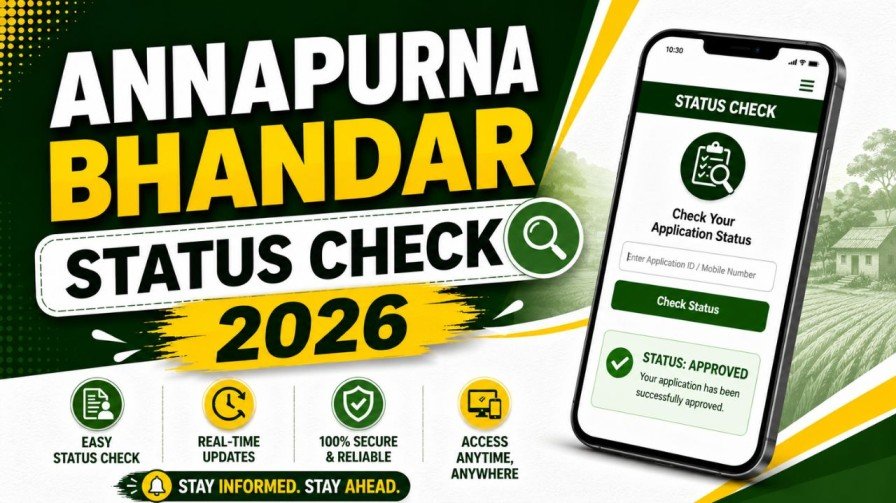
Annapurna Bhandar Status Check 2026 is the process that answers exactly this question. Whether you applied online through the official portal or submitted a physical form at your local BDO office, the West Bengal government provides a real-time tracking system that shows you the exact stage your application is currently at — and whether your monthly payment has been processed.
This guide walks you through every step of the status check process, explains what each status message means, tells you how to track your monthly payment history, and helps you fix the most common problems that delay payments even after an application is approved.
What Is the Annapurna Bhandar Scheme 2026?
Before getting into the status check process, a quick understanding of the scheme itself helps you know what you are tracking and why.
The Annapurna Bhandar Scheme is a women’s welfare initiative launched by the Government of West Bengal on June 3, 2026. It replaces the earlier Lakshmir Bhandar programme and significantly increases the monthly benefit amount. Under the previous Lakshmir Bhandar scheme, general category women received between ₹1,000 and ₹1,500 per month, while SC/ST category women received between ₹1,200 and ₹1,700 per month. Annapurna Bhandar removed this tiered structure and now provides a flat ₹3,000 to every eligible woman, regardless of category.
The scheme is managed through the West Bengal Social Security portal and the Social Registry West Bengal portal. These are the same official platforms where you check your Annapurna Bhandar status online.
Who Can Use the Annapurna Bhandar Status Check Tool?
The online status check tool is available to any woman who has either submitted a new application for the Annapurna Bhandar Scheme or is an existing Lakshmir Bhandar beneficiary whose profile is being migrated to the new system.
If you are a fresh applicant, you can use the tool to confirm that your form has been received, is under review, or has been approved. If you are a migrated beneficiary, you can use it to confirm that your profile has been successfully transferred and that your monthly ₹3,000 benefit has started.
You will need at least one of the following to access your record: your Application Reference Number, your registered mobile number, your 12-digit Aadhaar number, or your Swasthya Sathi card number. Keep any one of these ready before starting the status check.
Annapurna Bhandar Status Check 2026 — Step-by-Step Online Process
The entire process takes just a few minutes and can be done from your mobile phone. Follow these steps carefully.
Step 1 — Open the Official Government Portal
Open the browser on your phone or computer and visit the official West Bengal Social Security portal at socialsecurity.wb.gov.in. You can also use the Social Registry West Bengal portal at socialregistry.wb.gov.in — both provide access to the Annapurna Bhandar tracking system.
Always verify that the website address ends in “.gov.in” before entering any personal information. Fraudulent websites that look identical to the official portal exist online and are designed to steal your identity or banking details. Never use any third-party link received through WhatsApp, SMS, or social media to check your status.
Step 2 — Find the Application Status Section
Once the homepage loads, look for a button or menu option labeled “Track Applicant Status,” “Check Application Status,” or “Beneficiary Status Check.” This is typically displayed prominently on the main homepage under the Citizen Services section. On a mobile device, the same option may appear inside a navigation menu at the top of the screen.
Step 3 — Enter Your Identification Details
A status check form will open asking you to enter one identifying detail. You have multiple options here — enter any one of the following that you have available: your Application Reference Number received after form submission, your registered mobile number, your 12-digit Aadhaar number, or your Swasthya Sathi card number.
Enter the information exactly as it appears in your documents. If you are entering an Aadhaar number, type all 12 digits without any spaces or hyphens. If entering a mobile number, use the same number you registered during your application — not a different SIM.
Step 4 — Complete the Security Captcha
After entering your identification detail, a captcha code will appear on your screen — a combination of letters or numbers shown inside a small box. Type these characters exactly as displayed. Captcha codes are sometimes case-sensitive, meaning a capital letter and a lowercase letter are treated differently. If the code is unclear, most portals have a refresh button to load a new captcha.
Step 5 — View Your Application Status
Click the “Search” or “Check Status” button after entering the captcha. Your application record will appear on the screen within a few seconds, showing your current status, the date your form was received, and details of any payment transactions processed on your account.
Take a screenshot of this screen for your personal records.
Understanding Your Annapurna Bhandar Application Status Messages
The status tracking portal uses specific phrases to describe where your application stands. Understanding what each of these means helps you know whether you need to take action or simply wait.
Pending Verification
This message means your application form and supporting documents have been received by the system and are currently being reviewed by the concerned officer — either the Block Development Officer (BDO) in rural areas or the Sub-Divisional Officer (SDO) in urban areas. No action is required from your side at this stage. The verification process typically takes 15 to 30 days from the date of submission.
If your status continues to show “Pending Verification” for more than 60 days without any update, visit your local BDO or SDO office with your Aadhaar card and application acknowledgement receipt to inquire directly about the delay.
Approved
This is the confirmation you are waiting for. An “Approved” status means your application has passed all verification checks, your identity has been confirmed, and your profile has been added to the state’s active beneficiary directory. Your ₹3,000 monthly payment will begin in the next payment processing cycle following approval.
Payment Initiated
This status means the state government has released your monthly payment for the current cycle. The funds are in transit through the Direct Benefit Transfer (DBT) network and are being routed to the bank account linked to your Aadhaar. The amount typically appears in your bank account within one to three working days of this status appearing.
If the status shows “Payment Initiated” but the money has not appeared in your account after five working days, your bank account may have an Aadhaar seeding or DBT mapping issue — which is covered in detail further in this article.
Rejected
A “Rejected” status means the verification officer found a problem with your application. Common reasons include a mismatch between your name on the form and your Aadhaar card, a closed or joint bank account, missing documents, or ineligibility based on the scheme criteria. The portal usually displays a short reason alongside the rejection status.
Read the rejection reason carefully. If you believe it is an error, visit your local BDO or municipality office with all your original documents to appeal the decision. If the rejection is due to a correctable error such as a wrong bank account number or a missing document, reapply with the correct information before the August 25, 2026 deadline.
Bank Account Invalid
This specific status means your application has been processed but the bank account you provided is either inactive, already closed, a joint account (which is not accepted under DBT rules), or the account name does not match your Aadhaar name. Take a photocopy of your Aadhaar-linked bank passbook to your nearest BDO office to get this corrected.
How to Track Your Monthly ₹3,000 Payment History
Your application status and your payment transaction history are two separate sections of the same portal, but both are accessible once you log in with your mobile number and OTP.
After logging in, navigate to the payment history or transaction details section. This displays a month-by-month record of every ₹3,000 payment that has been processed on your account, including the exact transfer date, the amount, and the last few digits of the bank account it was sent to.
Payments under the Annapurna Bhandar Scheme are typically processed and credited during the first week of every month. If a previous month’s payment arrived on time but the current month has not come in by the 15th, there are a few likely causes worth checking.
Your bank account may have become dormant. Banks mark accounts as inactive if no transactions are made over a certain period. When a government DBT payment is sent to a dormant account, it often bounces back to the sender. Visit your bank branch and make a small transaction to reactivate the account, then inform your BDO office so the payment can be re-initiated.
Your Aadhaar-bank seeding may have been disrupted. This can happen if you recently changed your bank, opened a new account, or if your Aadhaar was updated or re-issued. In this case, the DBT system loses the connection to your account and cannot process the transfer.
Frequently Asked Questions About Annapurna Bhandar Status Check 2026
Q1. How do I do an Annapurna Bhandar Status Check 2026 online?
Visit socialsecurity.wb.gov.in and find the “Track Applicant Status” section. Enter your Application Reference Number, registered mobile number, or Aadhaar number. Complete the captcha and click Search. Your current status will appear on the screen within seconds.
Q2. What does “Pending Verification” mean in the Annapurna Bhandar portal?
It means your submitted application is currently being reviewed by the concerned BDO or SDO officer. No action is needed from your side during this stage. If it stays “Pending” for more than 60 days, visit your local BDO office with your documents to follow up.
Q3. My status shows “Approved” but I have not received any money. What should I do?
This typically means there is an Aadhaar-bank seeding or DBT activation issue. Visit the NPCI website and check your Aadhaar Mapped Status using the BASE tool. If your account is inactive or incorrectly mapped, update it through the NPCI portal or at your bank branch.
Q4. Can I check my payment history on the same portal?
Yes. After logging in with your mobile number and OTP on the official portal, navigate to the payment or transaction history section. It shows a month-by-month record of every payment credited to your account.
Q5. Do I need to reapply if I was getting Lakshmir Bhandar benefits?
Most existing beneficiaries are automatically migrated and do not need to reapply. However, if your profile was flagged or removed during the SIR 2026 verification drive, you will need to submit a fresh application before the August 25, 2026 deadline.
Q6. My application was rejected. Can I reapply?
Yes. Read the rejection reason shown on the portal, correct the issue — whether it is a document error, bank account problem, or name mismatch — and submit a fresh application before August 25, 2026. You can reapply online or offline at your nearest BDO office.
Q7. Can I check my status using my Aadhaar number?
Yes. Your 12-digit Aadhaar number is one of the accepted identifiers for the status check tool. Enter it without spaces or hyphens in the portal’s search field along with the captcha to retrieve your record.
Q8. What is the helpline number for Annapurna Bhandar payment issues?
The official toll-free helpline for social welfare queries is 1800-345-5505. For Duare Sarkar-related queries, call 033-22143526.
Q9. Is the status check available on mobile phones?
Yes. The official portal is mobile-friendly and works on any smartphone browser. Open socialsecurity.wb.gov.in on your phone’s browser and follow the same steps as on a computer.
Q10. How often is the beneficiary list updated?
The West Bengal government updates the active beneficiary list every seven days as fresh verifications are completed by BDO and SDO officers across all 22 districts.
Conclusion
The Annapurna Bhandar Status Check 2026 process is your most reliable way to know exactly where your application stands and whether your monthly ₹3,000 payment is on its way. Use the official portal at socialsecurity.wb.gov.in, enter your details, and get a real-time update within seconds.
If your status shows “Approved” but money has not arrived, do not wait — check your Aadhaar-bank mapping on the NPCI portal immediately and fix any seeding issue before the next payment cycle. If your status shows “Rejected,” check the reason, correct the problem, and resubmit before August 25, 2026.